
From the Archives: Recommended Reading
A How-To Guide on setting up Affiliate marketing with Amazon
I couldn’t sleep one night so I figured out the basics of affiliate marketing.
I’m not promising an overnight miracle of monetary wealth, however, with a little consistency and hustle, you can make make some easy extra cash.
It’s been 7 days now since I’ve started and I’ve got $9.54 showing up in my total earning to date.
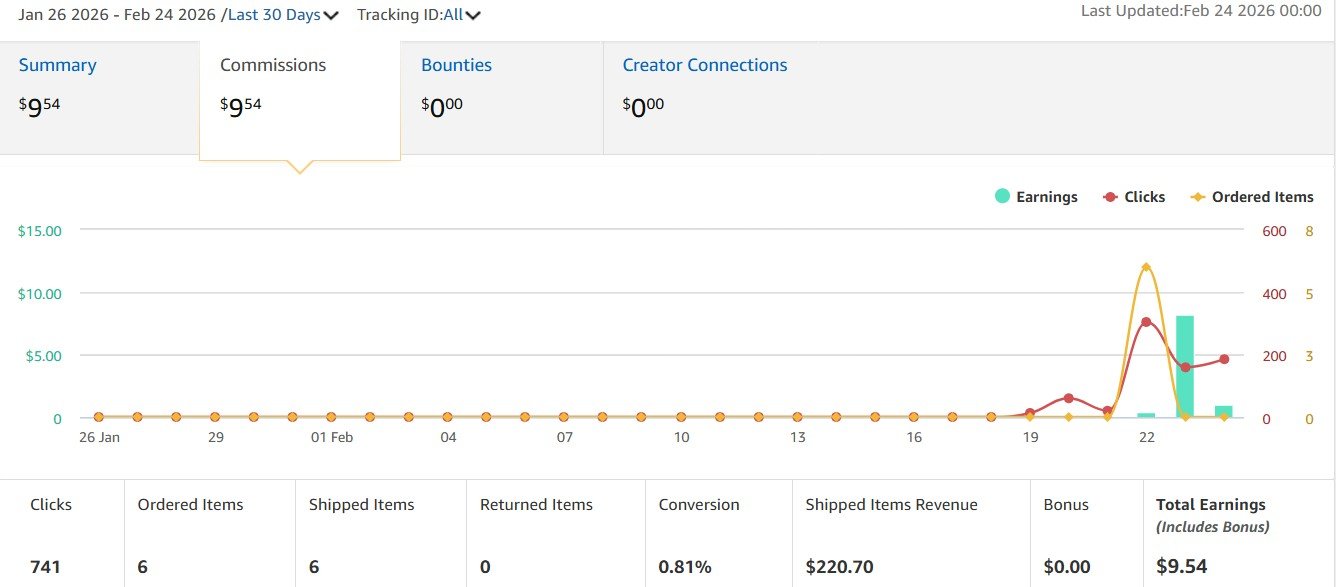
Amazon Associates Earnings Report for the period of January 26 to February 24, 2026
So if you’d like to learn, the steps I followed are outlined below. Let me know how it goes!
At The Naturalist Desk, we believe in a thriving digital ecosystem where information is shared freely.
If this guide helped you plant the seeds of your affiliate business, feel free to 'water the garden' with a small donation.
It’s a simple way to say thanks and keep more free guides coming your way!
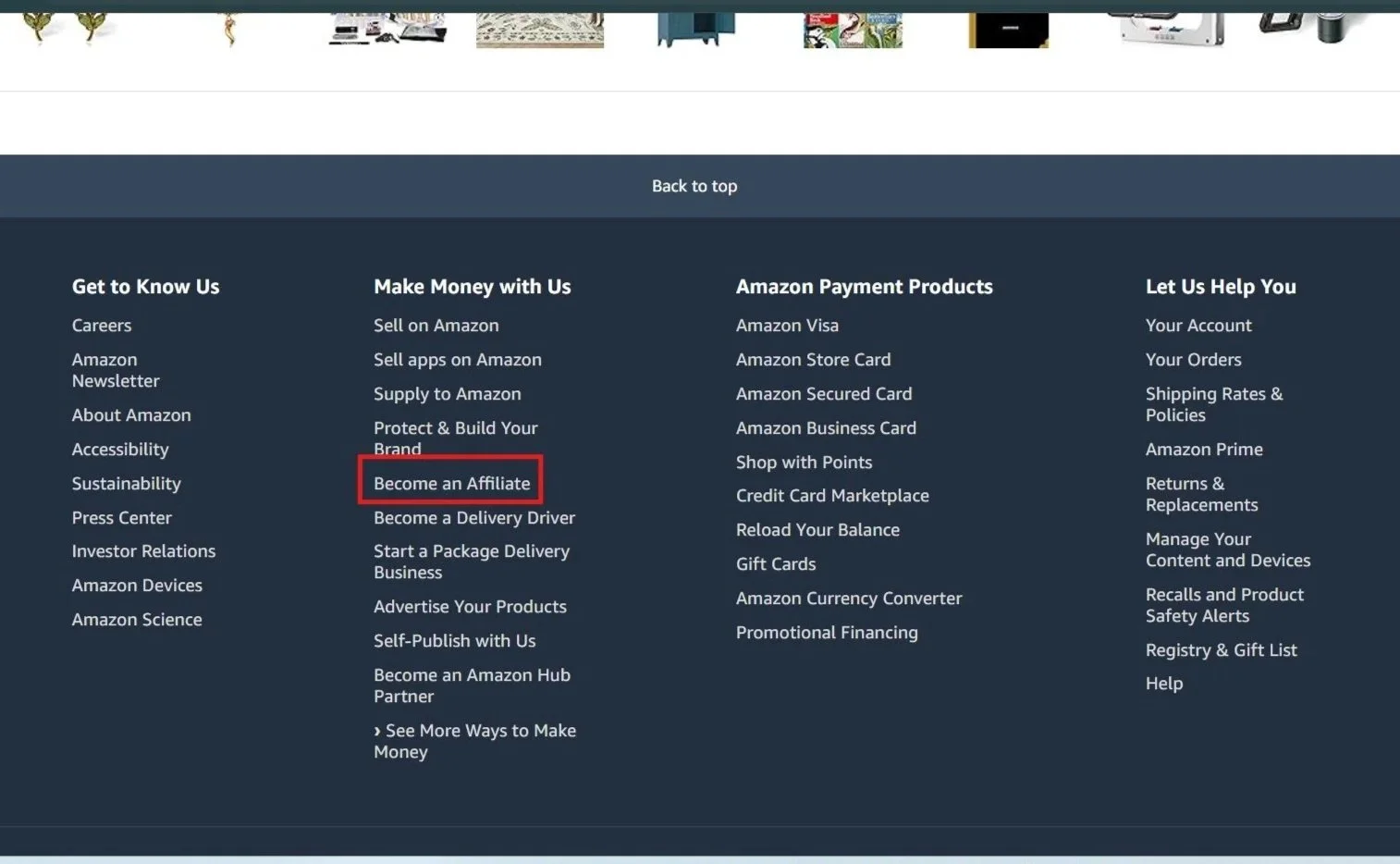
‘Become an Affiliate’ navigation at the bottom of a webpage.
Click the yellow “Sign Up” Button.
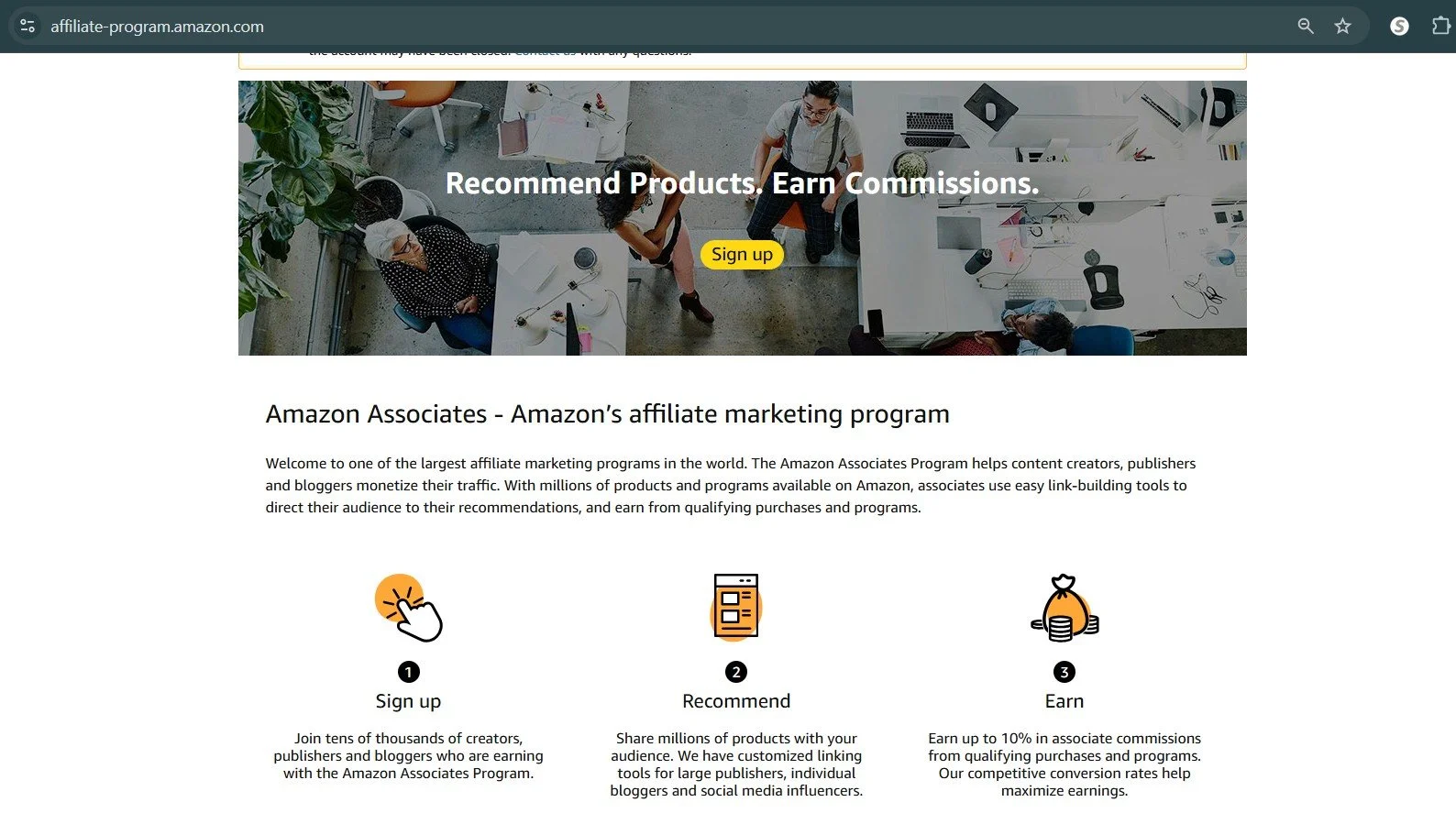
Sign up page for Amazon’s Associates affiliate marketing program
Enter your account information to create an Amazon Associates account.
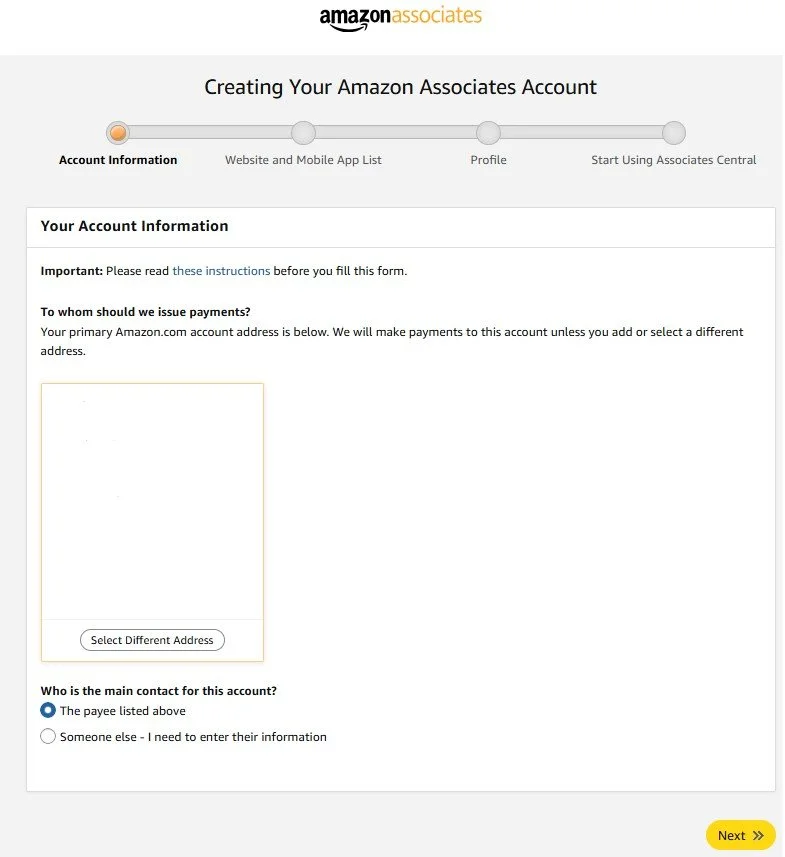
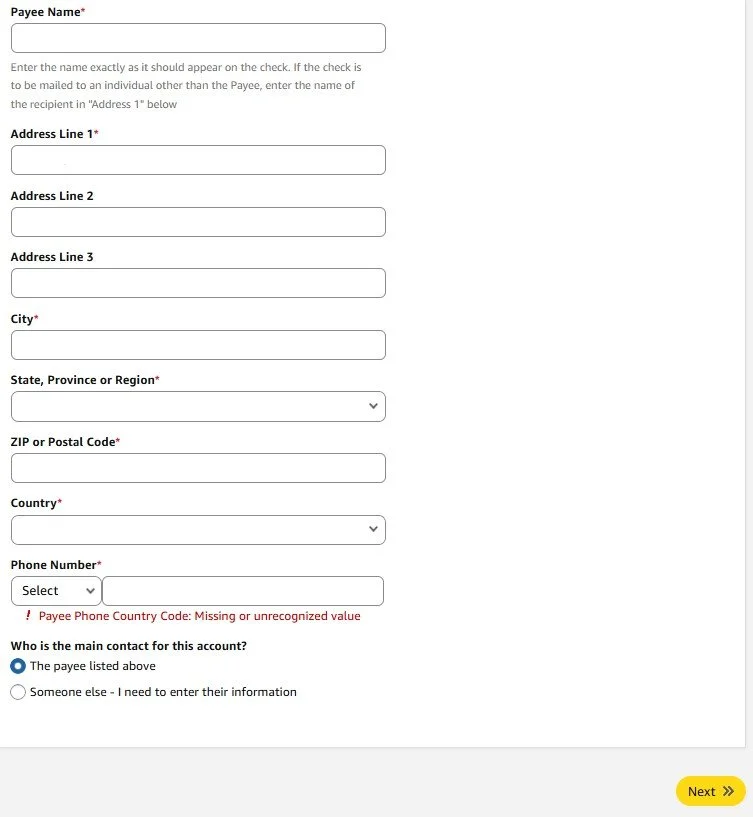
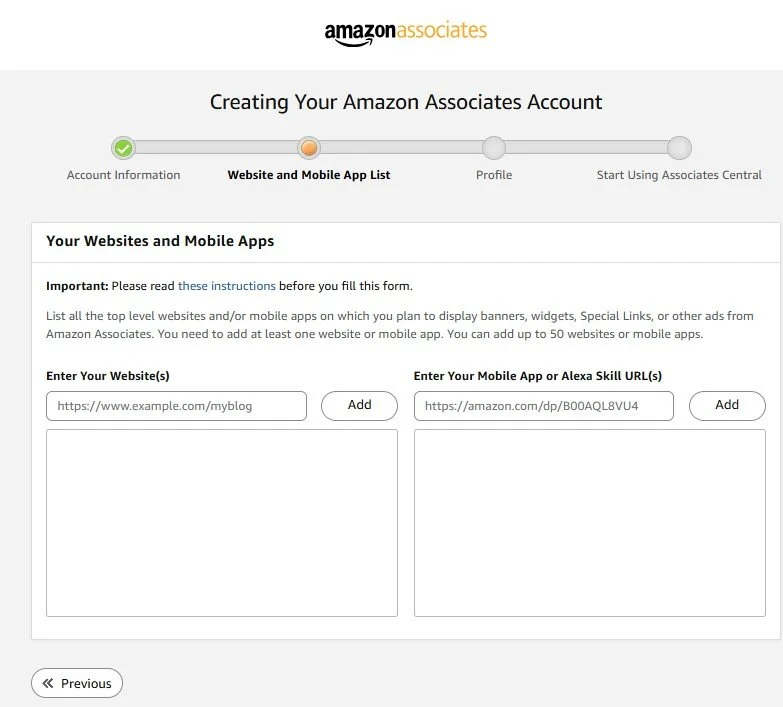
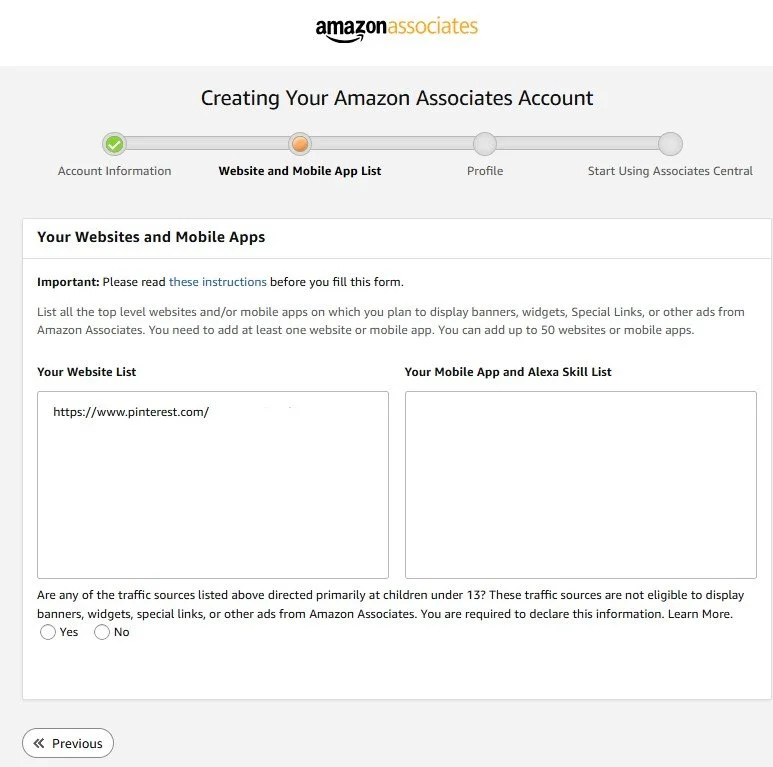
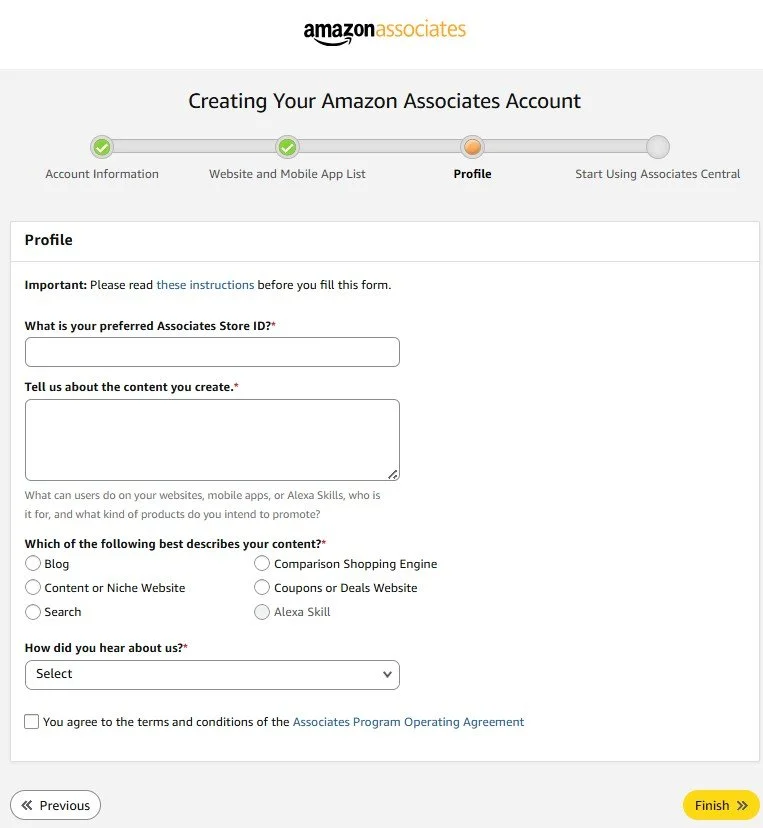
You will have a little wait time until your account is approved and you are able to proceed to the next steps.
While you wait, browse some of our items in the shop…

Connect with us at The Naturalist Desk on social media!
〰️
Connect with us at The Naturalist Desk on social media! 〰️
Approved? Carry on…
Select a product on Amazon to promote for affiliate sales. Save the product image using SEO-driving text in the file name.
Tip: Use an AI tool to recommend a file name for your product image.
AI prompt: What file name should I use for the attached image to drive maximum affiliate sales traffic? (Include the image in the prompt)
Click the “Get Link” button. A pop-up window with your associate ID and created link will appear. Copy (Ctrl+C) the link.
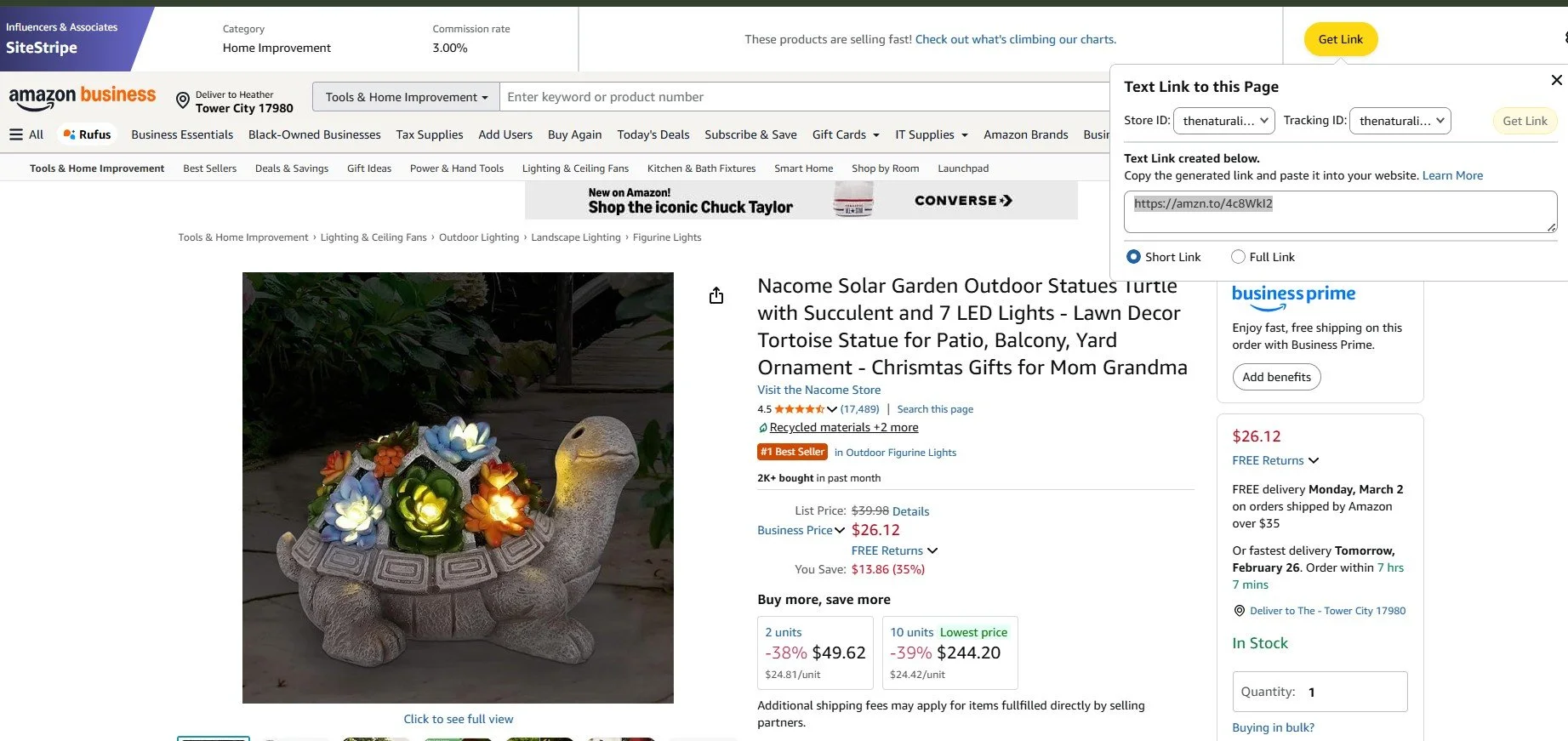
Amazon solar garden turtle product listing with affiliate link
Navigate to your Pinterest account and click “Create” select “Pin”. Upload the image. Paste (Ctrl+V) your unique affiliate link.
Fill in the Pinterest pin form fields.
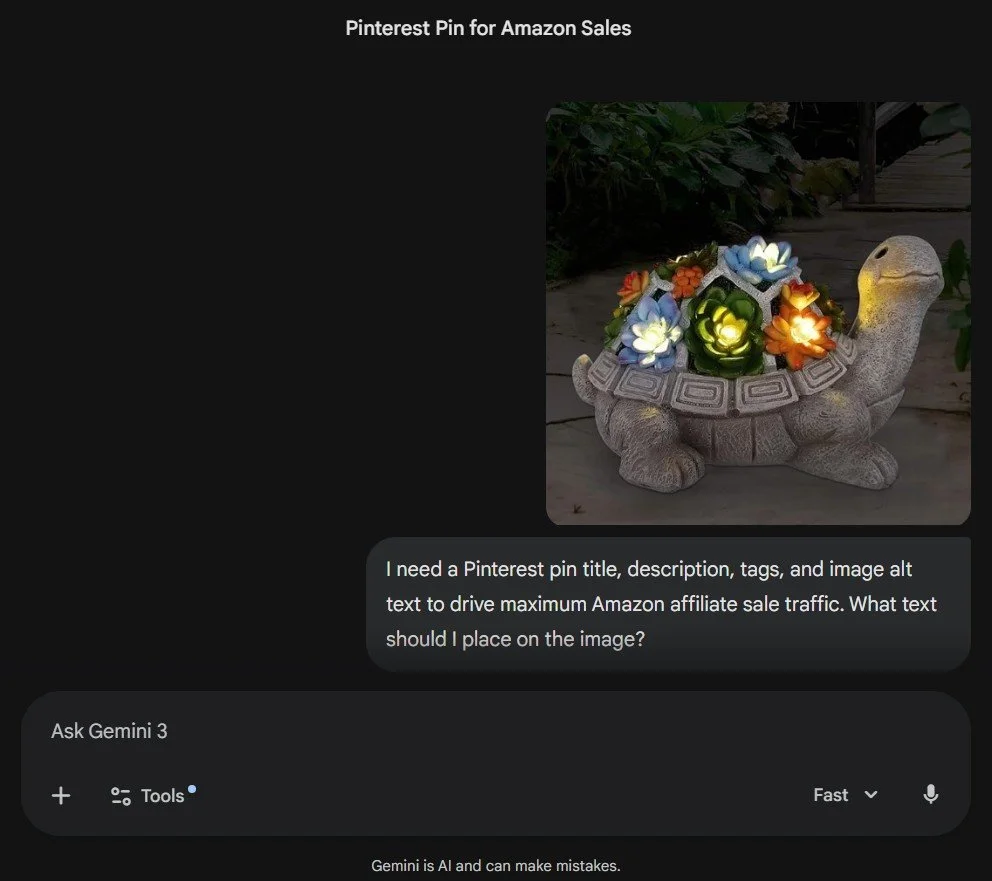
Tip: Use an AI tool to recommend a pin title, description, and alt text to drive maximum Pinterest traffic to affiliate sales.
Paste the info into the fields, edit where necessary.
To stay compliant with both Amazon’s policies and the FTC (Federal Trade Commission), you need to state this phrase: "As an Amazon Associate, I earn from qualifying purchases.". I put it in the pin description.
When uploading the product link, ensure you toggle on that it is a link to a product for affiliate sales.
Tip: You do NOT want to toggle on the “Show Similar Products” option. Ensure it remains off.
If you want to read about more legal stuff and affiliate links, I stuck some info at the end of this instruction for your review.
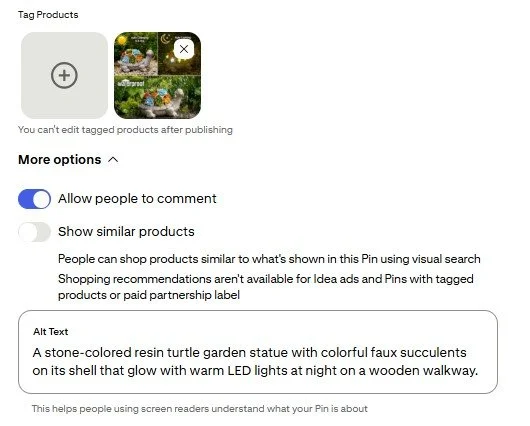
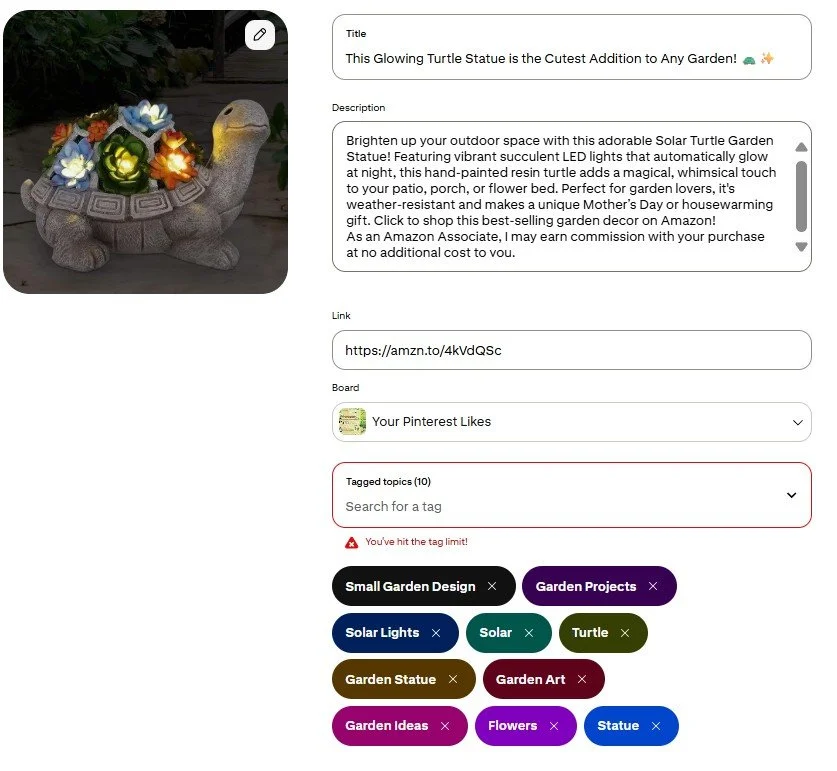
Publish your pin!
Extra information I found helpful:
I’m not a lawyer and this was pulled straight from Google Gemini, so don’t come at me.
Boring legal information…
To stay compliant with both Amazon’s policies and the FTC (Federal Trade Commission), you need two distinct types of disclosures. Missing these can result in your affiliate account being banned or legal fines.
1. The Mandatory Site-Wide Statement
Amazon requires a specific, verbatim statement to appear on your website (usually in the footer, sidebar, or "About" page). You must use this exact wording:
"As an Amazon Associate I earn from qualifying purchases."
Rules for this statement:
No paraphrasing: Do not change it to "I get a cut" or "Supporting this site."
Prominence: It must be clearly visible. Don't hide it in tiny, low-contrast text.
2. The Post-Level Disclosure (FTC Requirement)
The FTC requires you to disclose the "material connection" before a reader clicks a link. You cannot just put a disclaimer at the bottom of a long article; it needs to be "clear and conspicuous."
Best Practices:
Placement: Place it at the very top of your blog post or immediately before the affiliate link.
Language: Use plain English.
Examples:
"This post contains affiliate links. If you click and buy, I may receive a small commission at no extra cost to you."
"[Paid Link]" or "(Affiliate Link)" placed right next to the link itself.
3. Social Media Requirements
If you are posting on social media (Instagram, TikTok, X, etc.), you must include a clear tag that is visible without the user having to click "more."
Acceptable:#ad, #sponsored, or #AmazonAssociate.
Avoid: Vague tags like #collab, #sp, or #ambassador.

Bring the raw, meditative beauty of natural geology to your workspace with this hand-selected agate candle holder. Featuring deep indigo and rich purple mineral banding centered within a raw, earthy outer rim, this piece casts a warm, soothing ambient glow when paired with a standard tea light. Perfect as a grounding desk centerpiece, paperweight, or evening ritual accent.
Material: Natural and dyed Brazilian Agate (Polished face, raw natural edge)
Color Profile: Deep Blue, Violet, & Amethyst hues with translucent crystalline banding
Compatibility: Fits standard wax or LED tea lights
Dimensions: Approx. 4.5" – 5.5" H × 3.5" – 4.5" W (Each piece is completely unique in shape, size, and pattern)
Care: Wipe clean with a soft, damp cloth.